
|alive.
OS Engine turns your wallpaper into a living canvas: dynamic videos, custom HTML overlays, web apps, and real-time widgets — optimized for performance and battery.
Note: This purchase is for the standalone version. For the Steam version, visit the Steam Store page.
Native Live Lock Screen wallpapers
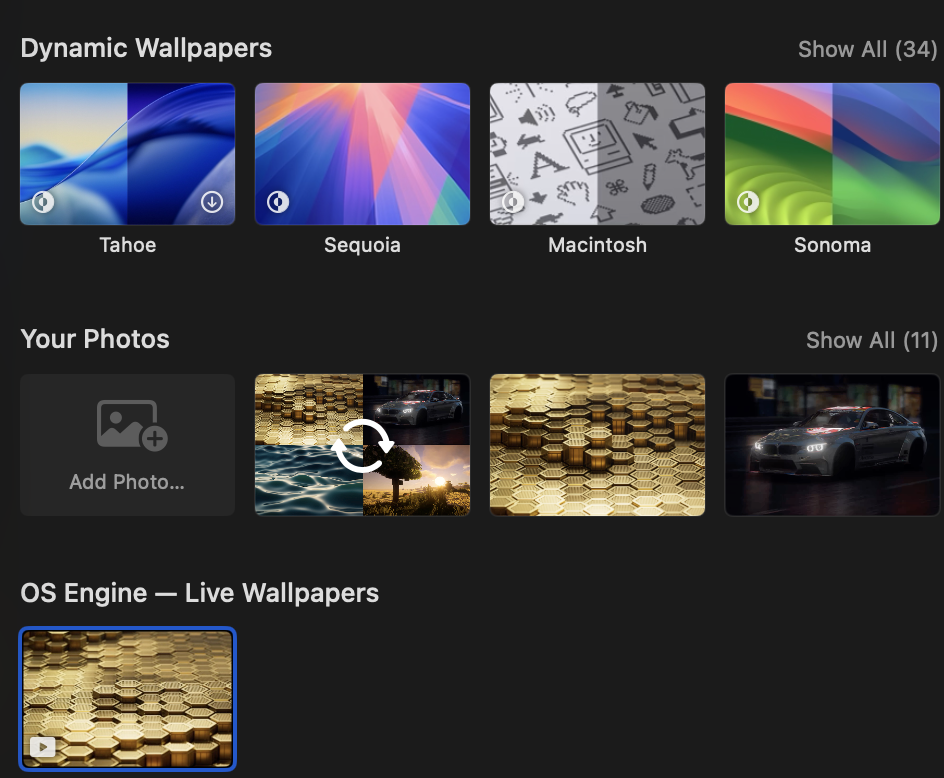
Your OS Engine videos now appear right inside System Settings → Wallpaper — and play live on the Lock Screen, powered by Apple's own wallpaper pipeline.
How to enable
- 1Enable Use Lock Screen & Screensaver in OS Engine Preferences
- 2Set your live wallpaper in the app
- 3Pick it in System Settings → Wallpaper
Cursor-interactive snow
Move your mouse — snowflakes swirl and gather around the cursor.
Interactive Snow & Rain in the editor
Add weather layers from the Layers panel — Metal-rendered snow that follows your cursor, and cinematic rain with full control over intensity and wind.
How to try it
- 1Open the wallpaper editor and add a Snow or Rain layer
- 2Adjust intensity, wind, and cursor interaction in the inspector
- 3Apply — effects run on your live desktop wallpaper
Native Lock Screen
Live video wallpapers in System Settings on macOS 26+ — no static frame workaround.
Weather Effects
Metal-rendered snow and rain layers — cursor-interactive snow, tunable wind and intensity.
Dynamic Video Wallpapers
Cinematic loops at 60fps with adaptive performance.
Custom HTML Overlays
Design your own HTML/CSS/JS overlay and run it safely above any wallpaper.
AI‑assisted HTML (Ollama)
Generate clean, embeddable HTML from natural language. Learn more on the Features page.
Web Wallpapers
Run live dashboards, maps, or art in a sandbox.
Multi‑monitor Support
Independent wallpapers per display or span across monitors.
Inline Updates
Get new versions directly in‑app — no manual downloads needed.
Editor
Design scenes with keyframes and presets.
Automation
Switch scenes based on time, app, or focus.
Battery Friendly
Automatically pauses on battery or fullscreen.
Quick Controls from Your Menu Bar
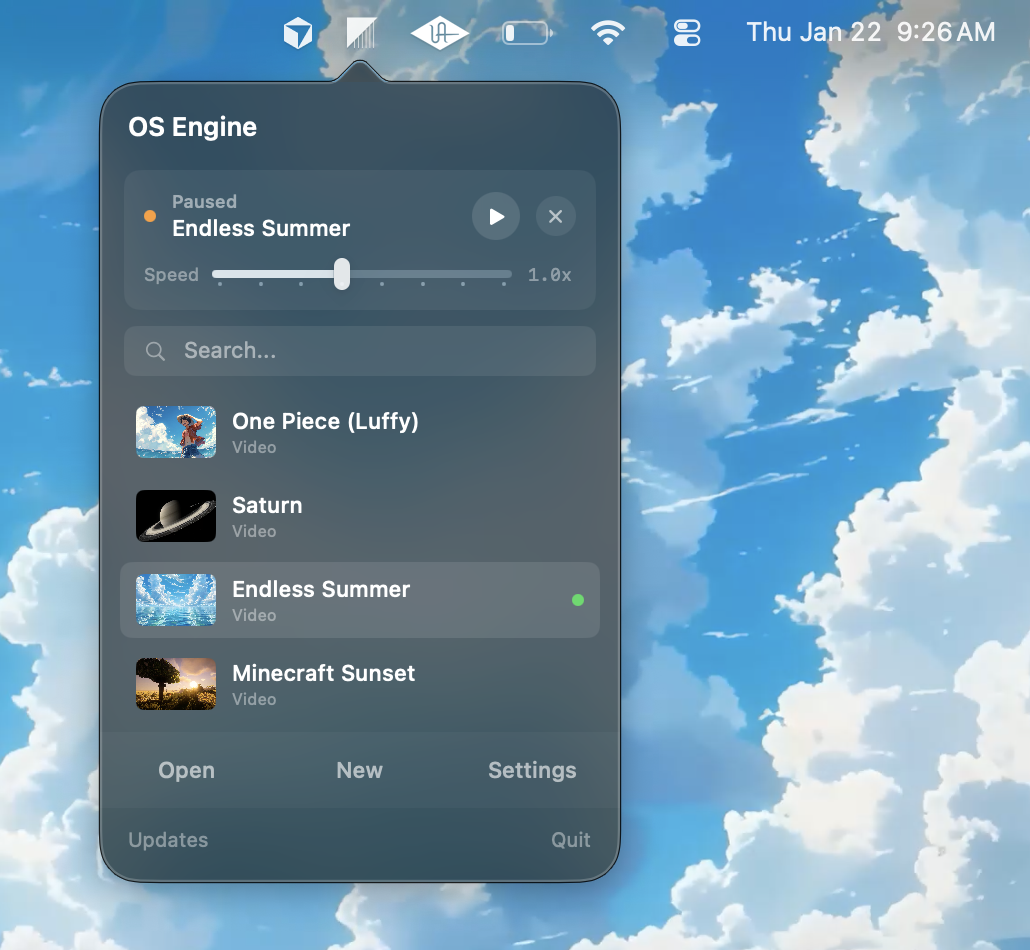
Access your entire wallpaper library instantly from the menu bar. Switch wallpapers, pause playback, adjust speed — all without opening the main app.
Purchase
Complete secure checkout via Stripe.
Download
Get your signed DMG immediately.
Activate
Open the app — enter your license key in Preferences.
Lost your license key? Retrieve it instantly via the Keyforge portal.
Troubleshooting
Window is not visible
From the macOS top bar select File → New → New Window. You can also click the OS Engine status bar icon and choose “Show Window”.
Why this happens: closing the window does not quit the app. OS Engine can run as a menu bar app, hiding the main window while keeping wallpapers active. Reopen a window via File → New Window or the status bar icon.
No wallpaper showing
Ensure a wallpaper is selected and running. If on battery or fullscreen, auto‑pause may be active — interact with the app or exit fullscreen to resume.
High resource usage
Prefer shorter/lower‑resolution clips and enable automation to pause during fullscreen or on battery.
Roadmap
Loading…
Lifetime license. All core features. Lifetime updates.
Standalone version. For Steam, visit the Steam Store.
- ✓All wallpaper types
- ✓Editor + presets
- ✓Auto pause on battery
- ✓Inline in‑app updates
- ✓No telemetry
- ✓Instant DMG download
Already purchased?
Will this affect performance?
OS Engine is built in Swift and uses efficient renderers. It smart-pauses during fullscreen, sleep, or on battery.
How do updates work?
Updates are delivered inline in the app. You can still re‑download the latest DMG from your receipt or trial link if you prefer.
Can't update? (Security Notice)
If in-app updates aren't working, please download the latest version from this website using the "Download trial" button. We recently migrated to a more secure update system. Your license key will still work with the new build.
Refund policy?
Full refund within 7 days if it does not work for you.
Support?
Email support@osengine.org — happy to help.